Co-create software with AI, visually.
A free, open source canvas built from your repo files. Stay in flow, from idea to pixel-perfect code.







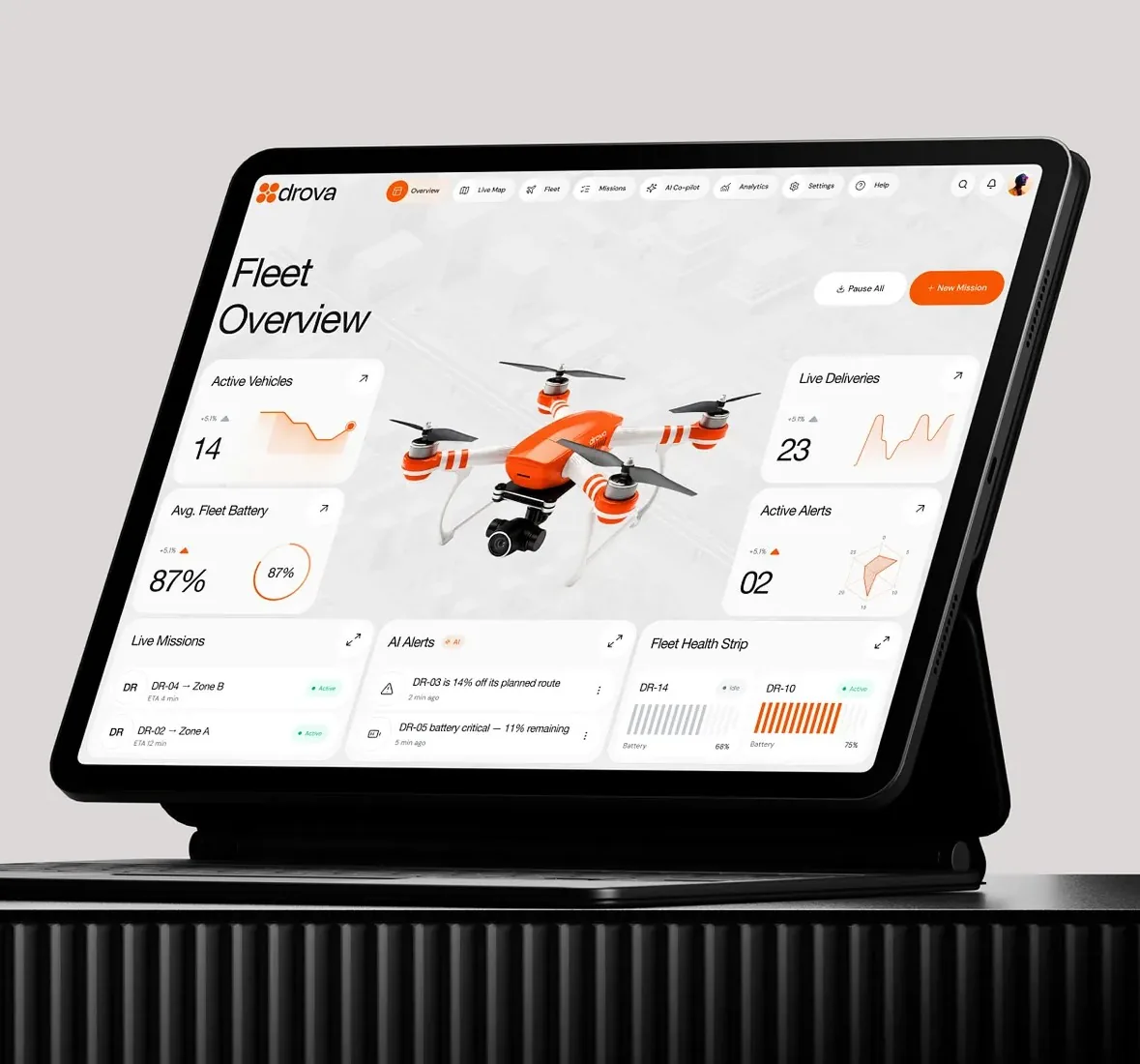
Creating the first drone delivery app. Book a drop, a drone flies to a person.
| State | Owner |
|---|---|
| requested | sender |
| in flight | drone |
| handed over | recipient |
Choose a drone
Choose a drone
Marver turns your codebase into a visual canvas.
So you and your agent can ideate, spec, sketch, design and prototype.
Together, in one place.
The work
Every stage, on the same canvas.
Ideate, spec, sketch, design and prototype. Give visual superpowers to your IDE and coding agents.
Collect the taste before the pixels.
Drop in screenshots and references. Your agent arranges them into a board you can point at and argue with.
Uber + DJI = Dronly?
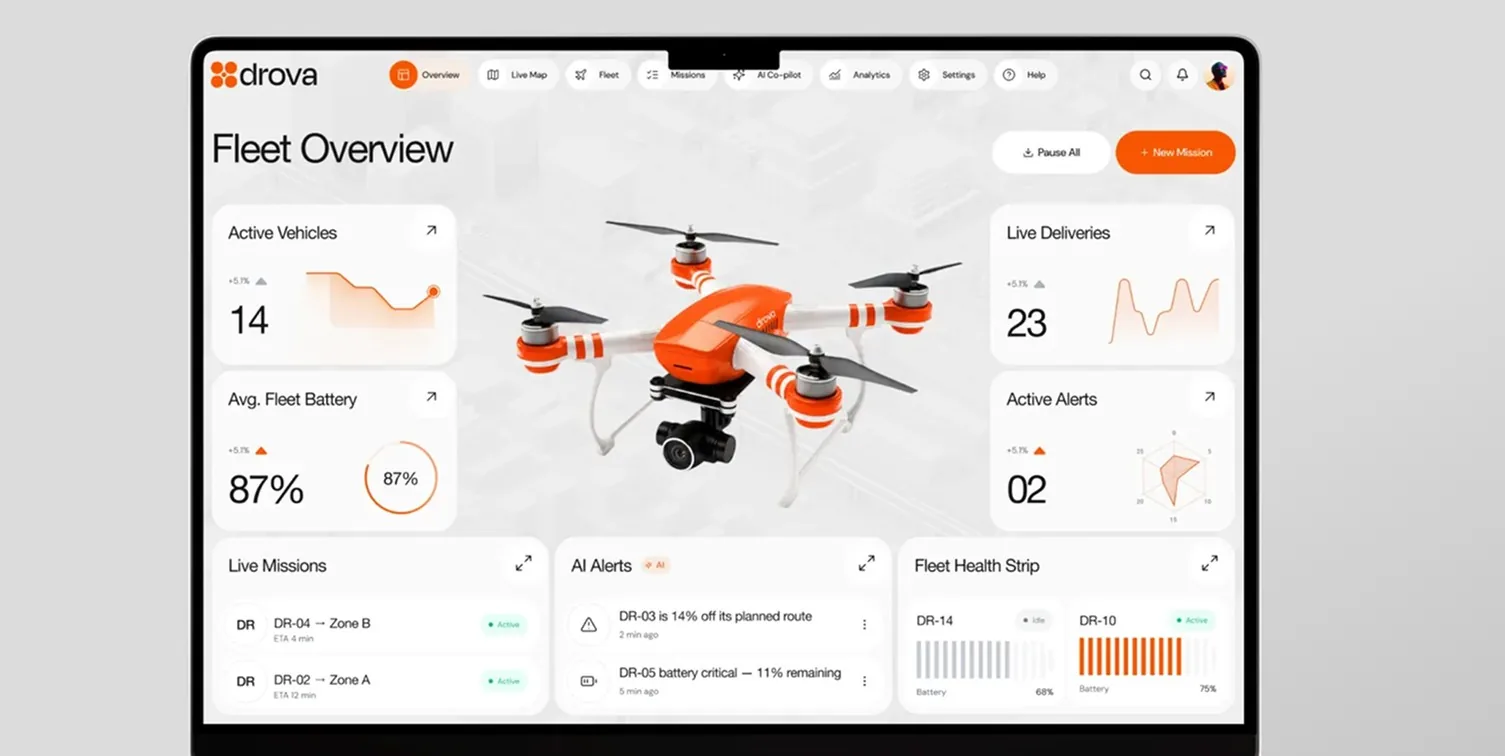
- Flighty
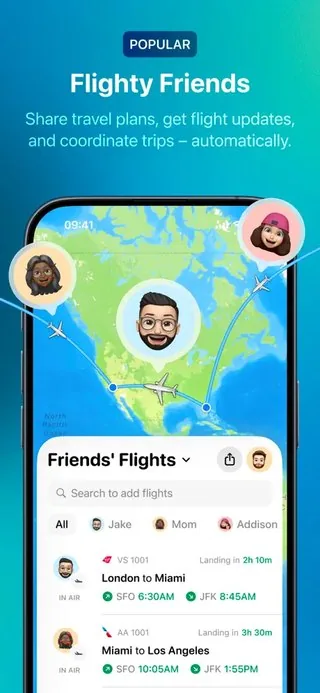
- Lyft
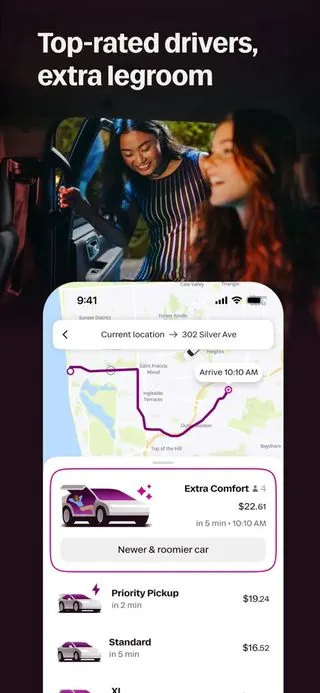
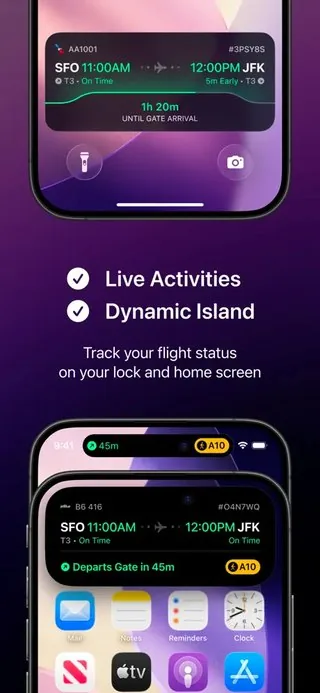
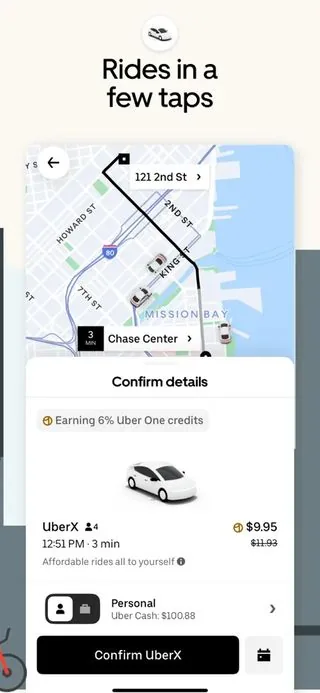
Boil your intent down into a spec.
Visualize your specs in clean markdown, HTML sites and mermaid diagrams, or a combination of all.
A sender books a drop. The nearest drone that can lift it flies out, collects the parcel and carries it across the city. The recipient is a person with the app, not an address, so a parcel is never left on a step.
| State | Owner | Timeout |
|---|---|---|
| requested | sender | 90s |
| assigned | fleet | 5m |
| in flight | drone | — |
| handed over | recipient | 10m |
Nail the layout and the copy.
Create low-fidelity wireframes to align on the high-level experience, with your agents and your teammates.
Send a package
Choose a drone
Then design it like you dream it.
Craft pixel-perfect designs using your own components, icons and theme. Not vectors, code.
Send a package
 Dan1 Embarcadero6 min
 Mum1240 Sanchez St9 min
Choose a drone
The canvas
The desk you and your agent share.
Point at things, disagree, change your mind. Then agree on what to build next, on one surface you both look at.
Every width, without rebuilding anything.
Select the frames and pick a device. They resize, the board re-tidies itself, and your real breakpoints fire.
Drops in the air
3 live- Landing in 8mMission St to 1 Embarcadero
 Landing in 3mDogpatch to Fort Mason
 CollectingSunset to Presidio
See your app in every outfit.
Flip the whole board with one key. Contrast that breaks in one appearance has nowhere left to hide. Try it: this page flips too.
My fleet
Drones online
8 / 10
Active drops
07
+2Aircraft
- SK-204En route
- SK-198En route
- SK-186Loading
- SK-171Charging
- SK-160Offline
Arrives
8 min
Double-click, and it comes alive.
Double-click into real code, not a mockup. Fields take focus, menus open, scroll areas scroll, links carry you onward.
Send a package
Dan1 Embarcadero6 minMum1240 Sanchez St9 minExperience the real thing.
Prototype mode renders your software live, so you can fully experience it.
Drops in the air
3 live- Dan · 1 EmbarcaderoLanding in 8mSK-204
- Ellie · Fort MasonLanding in 3mSK-198
- Marcus · PresidioCollectingSK-186
Choose a drone
None of this is a design artifact.
Every spec, diagram, image and frame is a local file, using your framework, themes and components.
Going to production is adding the functionality.
The system
It is just a folder in your repo.
One package, one directory, and your agent drives it. Plain local files you can read, diff and delete. Nothing is locked in a proprietary format.
Conventions, not a file format.
Four kinds of file, in one directory. A frame, its states, its data and your theme. Your agent already knows the convention.
design/ scenes/drop/ choose.tsx# one frame, one component empty.tsx# states are sibling files _fixtures.ts# the data it renders theme.css# imports your stylesheetA component you can look at.
A frame is just a component. The same one your app imports, drawn on the canvas. No export step and no second copy.
design/scenes/drop/choose.tsx
import { Button } from "@/components/ui/button"
import { fx } from "./_fixtures"

export const meta = { viewport: "mobile" }

export default function Choose() {
  return (
    <Drones classes={fx.nearby}>
      <Button data-goto="drop/inbound">
        Confirm Standard
      </Button>
    </Drones>
  )
}Choose a drone
Every state, ready to walk through.
States are a few typed props. Your agent writes them once, so loading, empty, error and offline are all frames you can walk.
design/scenes/drop/_fixtures.ts
export const fx = { loading: { pending: true }, empty: { drones: [] }, error: { message: "Wind over limit" }, offline: { stale: "9:41" }, nearby: { drones: [std, heavy] },}Choose a drone
Choose a drone
No drones nearby
Nothing within 5 miles
Choose a drone
Wind over limit
Gusts 38 km/h at the pad
Choose a drone
Offline · prices from 9:41
What is left is the backend.
Nothing is rebuilt to ship. The frame is already your stack and your components. Shipping swaps the fixture for real data.
design/scenes/drop/choose.tsx
import { Drones } from "@/components/drones"import { fx } from "./_fixtures" export default function Frame() { return <Drones {...fx.nearby} />}app/drop/page.tsx
import { Drones } from "@/components/drones"import { getNearby } from "@/lib/api" export default async function Page() { return <Drones {...(await getNearby())} />}Use it where you already work.
Set up your Marver canvas anywhere. In dev mode, it is just a localhost tab in your IDE or browser, driven by your coding agent of choice.
- Claude Code
- Cursor
- opencode
- Codex
- T3 Code
- Conductor
- Antigravity
- Factory
No MCP server, no plugin, no extension. Your files, a canvas you invoke and can host on your cloud.
Craft
Did you know it comes with taste, too?
Design thinking, wireframing, UI design, copy writing. We ship skills that teach your agent taste, not just how to draw a frame.
Dan gets it at 9:53.
Drone, route and door code in one view.
Dan gets it at 9:53.
Drone, route and door code in one view.
They are skill files in your repo. Edit them, or overrule them in DESIGN.md.
One prompt, and the canvas is yours.
Free and open source. Own the bridge between your intent, coding agents, and what ships.
 Run npm i -D @marver-design/marver and follow its instructions
Sam42m
Really like where this landed.
Ana39m
Heavy uses the standard drone icon. Could it look chunkier?
Mo35m
And rename Cold to Refrigerated. Cold reads like a temperature.. lol
Jo31m
Quick one, is the credit card row tall enough to tap?